Dockerfile Lint and Format Online: A Practical Hadolint Guide

Dockerfile Lint and Format Online: A Practical Hadolint Guide

Catch Docker anti-patterns and format Dockerfiles before CI with browser-based lint and format tools.

14.07.2026
10 min read
Share this article:
docker
dockerfile
hadolint
DevOps
lint
containers
Tutorial

Why lint and format a Dockerfile before CI?

A Dockerfile builds your image layer by layer. A forgotten `USER root`, a floating `latest` tag, or cascading `RUN` steps bloat the image, hurt BuildKit cache hits, and fail Hadolint in CI — often too late. Formatting and linting before you open the PR cuts pipeline noise and keeps the team on the same conventions. On FastMinify you can lint a Dockerfile online (Hadolint-style DL rules) and format a Dockerfile online — fully in the browser. The full cluster lives on the online DevOps tools hub, next to Terraform, Compose, and `.env`.

Docker anti-patterns caught before the Hadolint CI job
Cleaner PR diffs with normalized casing and spacing
Fast workflow for Dockerfiles pasted outside the monorepo
Useful complement to local Hadolint / dockerfile-utils
Same hub as HCL, Compose, and `.env` validation

Common DL rules and pre-PR workflow

Anti-patterns lint catches often

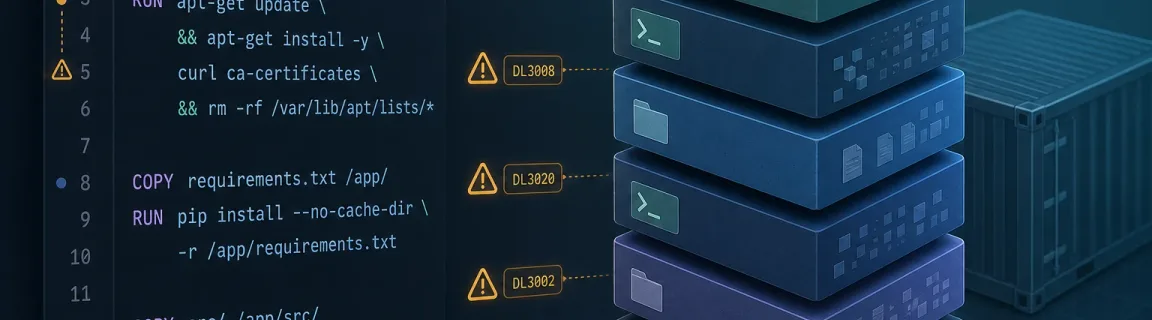
A few codes show up in almost every team. Fixing them early avoids a wall of Hadolint warnings in CI.

DL3007 — pin a tag or digest; avoid `FROM …:latest`
DL3002 — final USER should not be root (unless justified)
DL3020 — prefer COPY over ADD for local files
DL3059 — merge consecutive RUN steps to limit layers
DL3008 / DL3013 — pin apt / pip versions when it matters
Team and CI

Pin Hadolint (image or binary) and fail the pipeline on your severity policy. The browser remains a fast filter outside the monorepo.

Run Hadolint on every PR that touches a Dockerfile
Document exceptional ignores (`.hadolint.yaml`) in the PR
Format before lint for clearer messages
Link related Terraform / HCL via the Terraform and HCL online guide
Automate front-end assets in the same pipeline — see minification in CI/CD
Browse the FastMinify DevOps hub for Compose and `.env`

Lint vs format vs build

Pick the right action

Format, lint, and `docker build` complement each other. In review: format, lint, then let CI build.

Goal

format:Readability and stable diffs
validate:DL best practices (Hadolint-style)
minify:Real image + BuildKit cache

When to use it

format:After manual edits / conflicts
validate:Before every Dockerfile PR
minify:In CI or on a test workspace
Recommended order

A simple sequence avoids fixing style after lint in a loop.

Write or paste the Dockerfile
Format to stabilize casing and spacing
Lint (browser, then Hadolint CLI when possible)
Validate related Compose / `.env` if needed
Run `docker build` (or buildx) on a test environment

When the browser tool is enough

Common scenarios

You do not need to clone the monorepo to fix three instructions pasted from Slack.

Reformat a Dockerfile pasted from a ticket
Check DL rules before opening a PR without local Hadolint
Prepare a teaching example or public gist
Quickly compare two versions after a merge conflict
Express review of a vendor / template Dockerfile

Limits: what the browser does not replace

Hadolint CLI and the real build

As soon as you need team config (ignores, severity), deep shell analysis in RUN, or multi-stage builds with BuildKit secrets, the CLI and CI remain mandatory.

Hadolint with `.hadolint.yaml` and ignore policy
ShellCheck / deeper analysis of scripts in RUN
`docker build` / buildx with cache and mounted secrets
Image CVE scanning (Trivy, Grype…) outside DL lint scope
Registry credentials: CI secrets only — never pasted online
Neighbouring files

A service often ships with Compose, `.env`, and HCL. Dockerfile format/lint + Compose/env validate + Terraform format cover the daily DevOps path.

Validate Compose before `compose up`
Validate `.env` for syntax errors
Format / validate related Terraform HCL
Keep a shared indentation convention in the repo
Treat the formatted Dockerfile as Git source, not build-log noise

CLI and ecosystem

Reference local tools

Hadolint and dockerfile-utils remain the enterprise standard. FastMinify tools complement exploration and one-shots.

Hadolint

Reference Dockerfile linter with DL rules and CI integration.

Pros:
Mature ecosystem and documented DL IDs
`.hadolint.yaml` for team policy
Docker image / binary / GitHub Action
Cons:
Needs install or CI packaging
Less convenient for out-of-repo snippets

dockerfile-utils / formatters

Style normalization (casing, spacing) in the editor or CLI.

Pros:
Stable review diffs
Complements lint without changing the build
Fits pre-commit hooks
Cons:
Does not replace DL rules
Tooling varies by editor

BuildKit / buildx

Modern build engine: cache, multi-platform, secrets.

Pros:
Faster, more reproducible builds
Secrets without baking them into a layer
Current Docker standard
Cons:
Outside text-linter scope
Needs a configured daemon / CI

Dockerfile anatomy: instructions and layers

Common instructions

A Dockerfile is a sequence of instructions (`FROM`, `RUN`, `COPY`, `WORKDIR`, `USER`, `CMD`…). Instructions that mutate the filesystem create layers. Order matters for cache: frequent changes (app code) should come after stable layers (OS packages). For neighbouring YAML (`compose.yml`), validate structure before `docker compose up`.

FROM pins a base (image:tag or digest) — avoid `latest` in production
RUN often combines apt/apk + cleanup in one layer
Prefer COPY over ADD for simple local files
Non-root USER at the end reduces attack surface
CMD / ENTRYPOINT in JSON exec form (`["node", "app.js"]`)
What browser lint does not replace

FastMinify's linter applies a <strong>documented subset</strong> of Hadolint DL rules (wiki IDs). It does not run ShellCheck inside every `RUN`, does not build the image, and does not talk to a remote registry. In CI, Hadolint CLI (or the GitHub Action) remains the team source of truth.

No full ShellCheck analysis of shell scripts in RUN
No `docker build` and no image CVE scanning
No Compose schema validation in this tool (separate page)
Great as a first DL + format filter; CI stays authoritative
Never paste secrets / tokens into a public textarea

Lint and format: two distinct intents

Lint (Hadolint-style DL rules)

The linter reports issues with DL codes (e.g. DL3007 for `latest`, DL3002 for final root user) and Hadolint wiki links. Ideal for pasting a Dockerfile and fixing it before the PR. Try the online Dockerfile linter.

DL IDs aligned with Hadolint for actionable messages
Warning / info levels depending on the rule
Hadolint wiki links for each code
Great for a single-stage Dockerfile or excerpt
Does not replace Hadolint CLI + team policy in CI
Format (dockerfile-utils normalization)

The formatter normalizes instruction casing and spacing for stable diffs — without changing build semantics. Use the online Dockerfile formatter before committing a hand-edited file.

Consistent uppercase instructions
Normalized spacing and alignment
Ideal after a merge conflict on the Dockerfile
Pairs with lint: format first, then lint
Combine with local format or a CI gate in the repo
Compose and `.env` for the same project

A Dockerfile rarely ships alone. Also validate Docker Compose online and check `.env` files before a local deploy.

Compose structure (services, image) — not the full spec
`.env` syntax without advanced secret scanning
Same DevOps hub for one daily path
Useful before `docker compose up` on a fresh machine
Keep secrets out of the repo and out of online tools

Conclusion

Linting and formatting a Dockerfile before CI avoids wasted round-trips on DL rules and style. Use the browser for snippets and a first Hadolint-style filter, then Hadolint CLI and `docker build` for pipeline truth. Continue with Compose, `.env`, and Terraform on the same DevOps hub.

Format before lint for clear diffs and messages
Fix DL3007 / DL3002 / DL3020 early in review
Pin Hadolint and fail CI on team policy
Validate Compose and `.env` for the same service
Never paste secrets into an online tool
Share this article
Share this article: