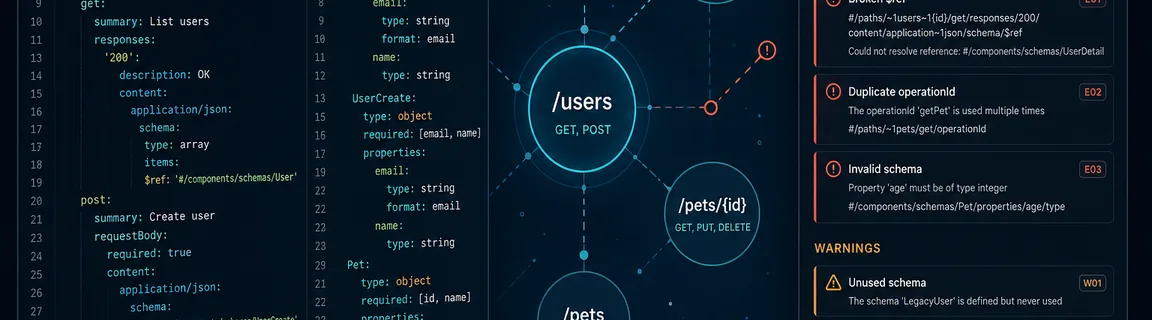
Validate OpenAPI 3 / Swagger Specs Online Before CI
Schema errors, broken $ref, missing responses: validate your OpenAPI 3.0–3.2 API contract in the browser.
Validate an OpenAPI spec before merging
An invalid OpenAPI spec blocks client generators, fails API gateway imports, and delays contract reviews. Yet the most common issues (incomplete info, broken internal $ref, unsupported openapi version) often hide in a 500-line YAML diff. FastMinify's online OpenAPI validator checks OpenAPI 3.0, 3.1, and 3.2 schema conformance via @scalar/openapi-parser, entirely in your browser. Paste JSON or YAML, and the verdict, error paths, and spec stats appear with no server upload. Pair it with the OpenAPI formatter for readable reviews, then explore the API tools hub. If raw JSON syntax is suspect, start with the JSON validator. To optimize payloads once the contract is sound, see our REST API performance guide.
#/… references checked; Scalar issue paths displayedHonest limits and best practices
A “valid” verdict means OpenAPI schema conformance, not that your API responds correctly in production.
$ref URLs#/ references are checked by Scalar. HTTP(S) references to other files are never resolved, so the spec must be self-contained for reliable browser validation.
$ref may pass parse but fail elsewhereThe browser tool speeds up feedback before commit, while CI remains the source of truth for teams.
git push, which is faster than a full pipelineWhat the tool checks and rejects in OpenAPI 3 and Swagger 2
OpenAPI 3.x describes REST endpoints, request and response schemas, security, and reusable components. FastMinify validates conformance to the OpenAPI meta-schema, not your API's runtime behavior.
3.0.x, 3.1.x, 3.2.xopenapi, info.title, info.version, pathsschemas, responses, and parameters, with internal refs resolvedDocuments with a root swagger: "2.0" key are not supported by this tool. The error message is explicit, so do not try to validate them here.
swagger; OpenAPI 3 uses openapiBeyond syntax, these structural gaps break CI or SDK generators.
$ref pointing to a missing component causes a validation failuredescription violates an OpenAPI ruleoperationId blocks some generatorstype incompatible with poorly nested nullable / oneOfThe API hub offers three distinct intents, so do not confuse them during PR review.
Validate an OpenAPI spec, step by step
The OpenAPI validator parses the input (JSON or YAML, max 512 KiB), then calls Scalar validate(). The result gives a status, the first error with its line when known, and an issue list with JSON Pointer paths.
https://… references are never downloaded, which is an intentional limitationThe OpenAPI formatter rewrites JSON or YAML with a 2 or 4 space indent and an optional key sort. It helps human review and does not replace validation.
You export a spec from a design tool and AWS API Gateway / Kong import fails with no detail.
Paste it into validate-openapi
Open validate-openapi. If parsing fails, fix the JSON or YAML syntax first, and the JSON validator can help on JSON portions.
Fix internal $ref
Scalar issues list the path (missing #/components/schemas/User, etc.). Fix the typo or add the referenced component.
Format and commit
Run the validated spec through format-openapi, download, open the PR. Re-import into the gateway.
The mobile team generates a client from the spec, and a schema error blocks the entire pipeline.
Validate the merged version
Paste the main branch spec into validate-openapi. An invalid verdict means you should block the version tag.
Check info and paths
Complete info fields, every operation has responses with description. Results panel stats help spot empty paths.
Minify embedded JSON examples
Bulky embedded examples slow reviews, so use the JSON minifier on example payloads once the spec is valid.
Conclusion
Validating an OpenAPI spec before CI saves hours debugging gateway imports or silent SDK generators. Paste, validate, and fix the Scalar paths, all locally. Format for review, then explore the API hub for lint, JSON Schema conversion, and GraphQL validation.
Validate your OpenAPI spec now
Related Articles

Paste a token and a JWKS to check an RS256, ES256 or HS256 signature in your browser. How kid picks the key, measured errors and the claims to check.

HTTP/2 and HTTP/3 change how files travel, not how big they are. Measured sizes, compile times and bundling tests show what minification still saves.

Convert a Unix epoch to a readable date and back, tell seconds from milliseconds, and avoid time zone, JWT and clock change traps, all in your browser.