
GZIP and Brotli Compression: Complete Guide for Apache and Nginx
Enable GZIP and Brotli on Apache (mod_deflate) and Nginx (ngx_brotli). Copy-paste configs, set MIME types, and verify with DevTools or online checkers.
Why enable server compression?
Server compression is one of the most effective and simplest optimizations to implement. Unlike minification which optimizes source code, compression reduces file size during transfer between server and browser. Combined with minification, it can reduce your total file size by 70 to 90%, drastically improving load times and user experience.
Real-world impact of compression on performance
Here are real data from an e-commerce site that enabled GZIP compression:
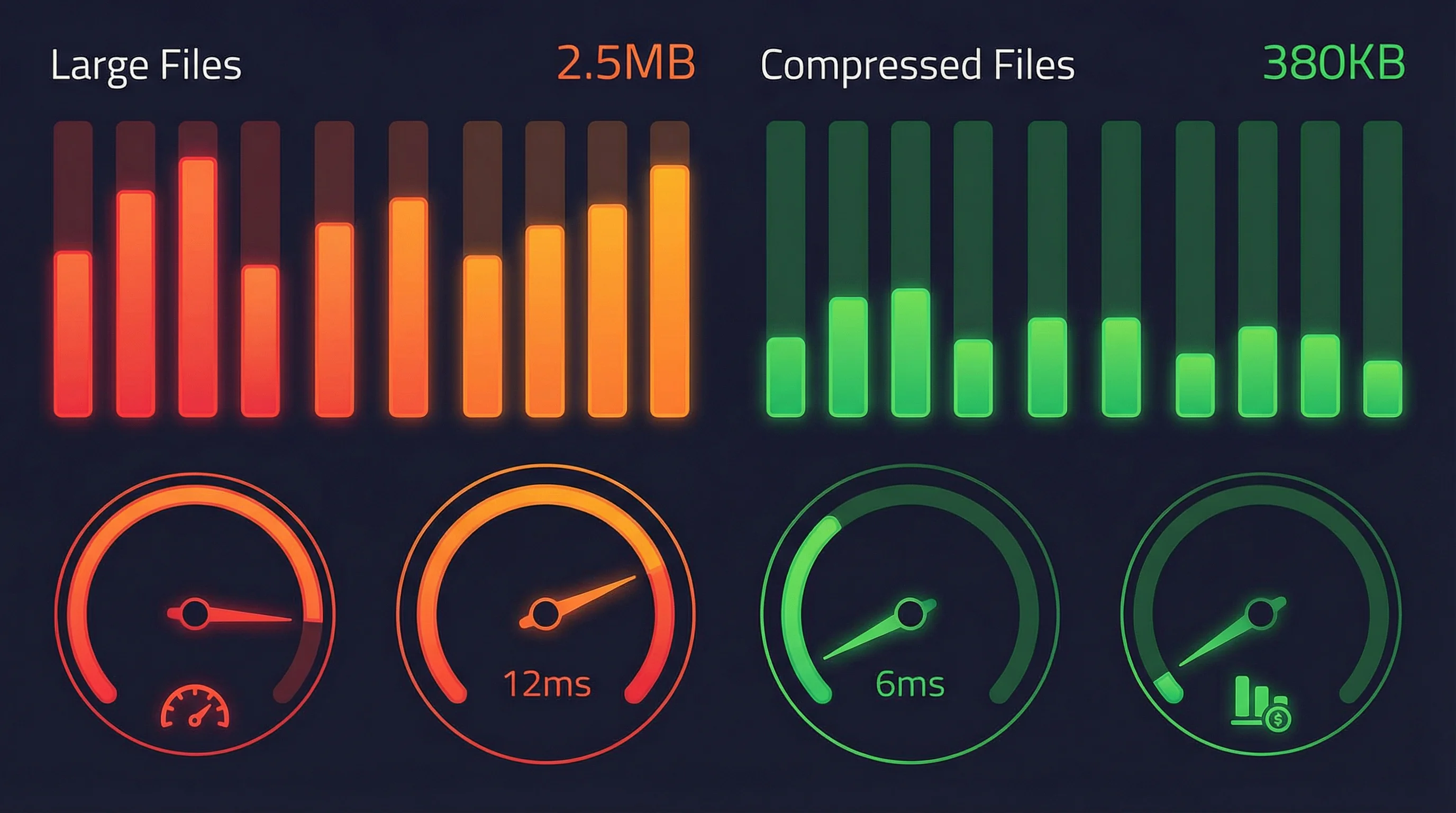
Before optimization
- File size
- 2.5 MB
- Load time
- 1.2s
After optimization
- File size
- 380 KB
- Load time
- 0.3s
Improvements
Compression directly improves your web performance metrics:
What is server compression?
Minification and compression are two complementary but different techniques. Minification removes spaces, comments and optimizes source code. Compression (GZIP or Brotli) then compresses the already minified file for additional gain during network transfer.
GZIP is the most widespread compression and compatible with all browsers. Brotli is newer and offers better compression (15-20% better than GZIP), but requires additional configuration.
GZIP
Brotli
GZIP Configuration on Apache
The simplest way to enable GZIP on Apache is to use the .htaccess file. This method works even if you don't have access to the main server configuration.
Create or modify the .htaccess file
Verify that mod_deflate module is enabled
For a more global and performant configuration, configure GZIP directly in Apache's main configuration file.
Configuration
Brotli Configuration on Apache
Brotli requires installing an additional module. Here's how to install it depending on your system.
Installation on Ubuntu/Debian
Enable the module
Once the module is installed, configure Brotli in your .htaccess with priority over GZIP.
Configuration
GZIP Configuration on Nginx
Nginx includes GZIP support by default. You just need to enable it in your configuration.
Configuration
Advanced configuration to maximize performance in production.
Configuration
Brotli Configuration on Nginx
Nginx requires installing the ngx_brotli module. Here's how to proceed.
Installation from sources
Installation via package (if available)
Once the module is installed, configure Brotli with GZIP as fallback.
Configuration
Verify that compression is working
The simplest way to verify if GZIP or Brotli compression is active on your site is to use a specialized online tool.

GiftOfSpeed Gzip/Brotli Test
Free and simple tool to verify GZIP and Brotli compression of your website
https://www.giftofspeed.com/gzip-test/Features:
- •Instant GZIP compression verification
- •Brotli compression detection
- •Display of original vs compressed size
- •Reduction percentage displayed
- •Test on multiple resources (HTML, CSS, JS)
How to use:
You can also verify compression directly in your browser's development tools.
Open DevTools
Press F12 or Cmd+Option+I (Mac) / Ctrl+Shift+I (Windows/Linux)
Network tab
Go to the 'Network' tab and reload the page
Check headers
Click on a resource (HTML, CSS, JS) and look at the 'Headers' tab. You should see 'Content-Encoding: gzip' or 'Content-Encoding: br' (Brotli)
Example
Best practices and recommendations
Compress text files, but avoid compressing already compressed files.
Compress:
Don't compress:
Find the right balance between size and CPU consumption.
Don't compress very small files, the gain is negligible.
Combine compression and caching for optimal performance.
Common troubleshooting
If compression doesn't seem active, check these points:
Common problems with Apache and their solutions.
Errors and solutions
Common problems with Nginx and their solutions.
Errors and solutions
Conclusion
Enabling GZIP and Brotli compression on your Apache or Nginx servers is an essential optimization that can drastically reduce the size of your transferred files. Combined with minifying your JavaScript and CSS code, compression can significantly improve your website performance, reduce your bandwidth costs and improve your Google ranking thanks to better Core Web Vitals.
Ready to optimize your files?
Related Articles

Compute network, mask, host range and broadcast of a CIDR, summarize ranges into minimal blocks and check an IP, all in your browser. Nothing is uploaded.

Format a Copy as cURL, parse a raw HTTP request or response and read a HAR export in your browser: nothing is sent, nothing is replayed.

Decode a JWT header and payload, or sign a test token, right in your browser: HS256, RS256, ES256, with no secret sent to a third-party server.