
Complete Guide to JSON Minification: Optimize Your APIs and Config Files
Learn how to minify JSON for APIs, config files, and data transfer. Reduce file sizes by 20-60% and improve your application performance.
Why minify your JSON?
JSON (JavaScript Object Notation) is everywhere: APIs, configuration files, data storage, package.json, and more. While human-readable formatting is great for development, it adds unnecessary bytes in production. Minifying JSON removes whitespace, line breaks, and formatting to reduce file sizes significantly. Whether you need a quick solution with an online JSON minifier or want to automate the process, this guide covers everything you need to know about JSON minification.
Real-world performance impact
Here's real data from optimizing JSON responses on a REST API serving millions of requests per day:

Before optimization
After optimization
JSON minification benefits different scenarios:
Best practices
Follow these guidelines for optimal JSON usage:
Some situations where minification isn't recommended:
What does JSON minification do?
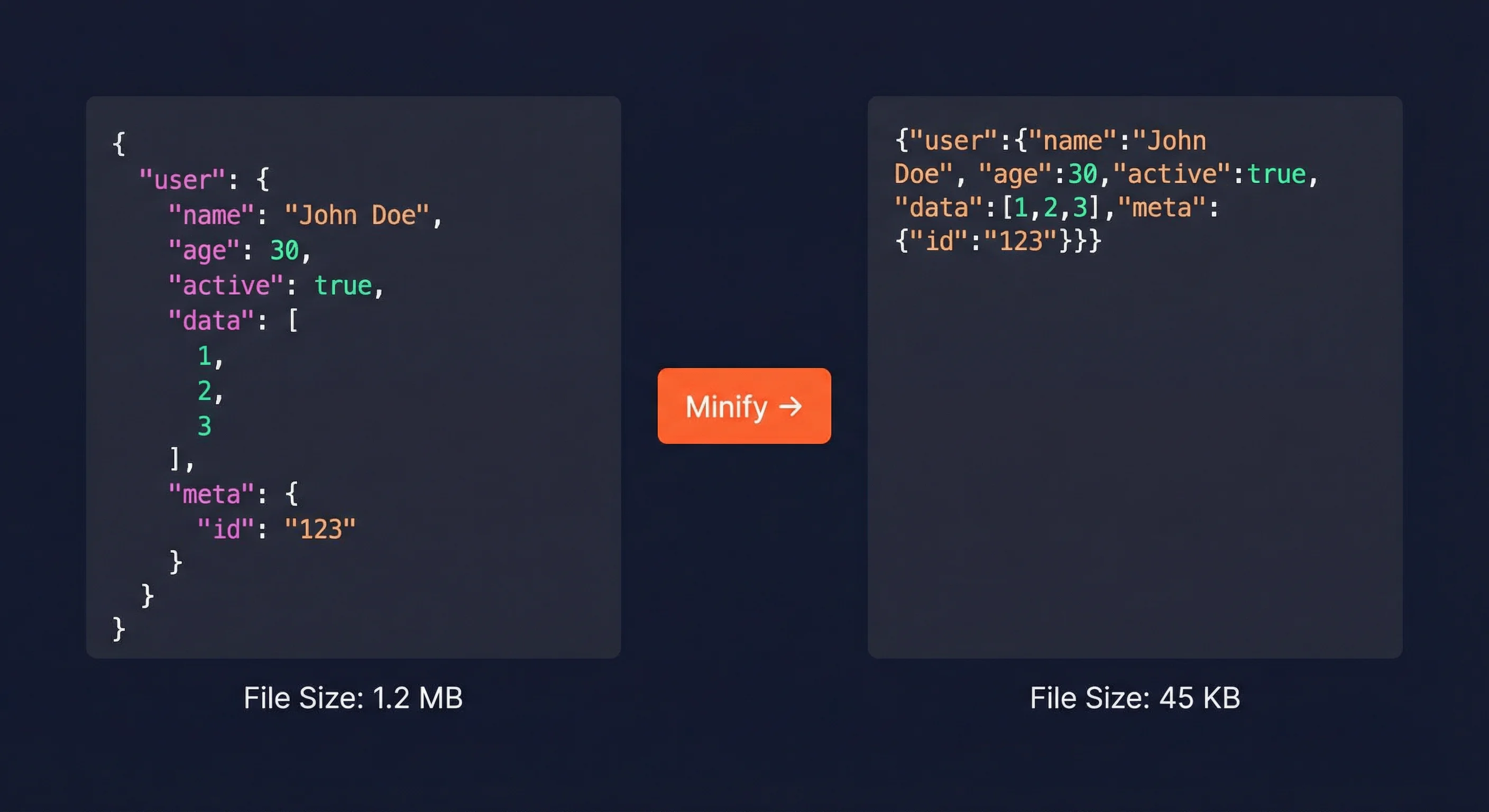
JSON minification removes all unnecessary characters while preserving data integrity. Here's an example:
Before
{
"user": {
"id": 12345,
"name": "John Doe",
"email": "john@example.com",
"roles": [
"admin",
"editor"
]
}
}
// 156 bytes with formattingAfter
{"user":{"id":12345,"name":"John Doe","email":"john@example.com","roles":["admin","editor"]}}
// 89 bytes minified = 43% reductionMinification removes formatting while keeping all data intact:
Minify JSON online with FastMinify
The fastest way to minify JSON is using an online tool. No installation, no configuration - just paste and minify.
Step 1: Paste your JSON
Copy your JSON data and paste it into the left editor on FastMinify JSON Minifier.
Step 2: Click Minify
Click the "Minify" button. The tool automatically validates your JSON and minifies it instantly.
Step 3: Copy or download
Copy the minified JSON to clipboard or download it as a file.
FastMinify offers several useful features for JSON processing:
Programmatic JSON minification
JSON minification in JavaScript is built-in - just use JSON.stringify without spacing:
Basic example
// Minify JSON in JavaScript
const data = {
user: { name: 'John', age: 30 },
items: ['apple', 'banana']
};
// Minified output (no spaces)
const minified = JSON.stringify(data);
console.log(minified);
// {"user":{"name":"John","age":30},"items":["apple","banana"]}
// Pretty-printed (for comparison)
const pretty = JSON.stringify(data, null, 2);File minification
// Minify a JSON file in Node.js
const fs = require('fs');
function minifyJsonFile(inputPath, outputPath) {
const content = fs.readFileSync(inputPath, 'utf8');
const data = JSON.parse(content);
const minified = JSON.stringify(data);
fs.writeFileSync(outputPath, minified);
const originalSize = content.length;
const minifiedSize = minified.length;
const savings = ((originalSize - minifiedSize) / originalSize * 100).toFixed(1);
console.log(`Minified: ${originalSize} → ${minifiedSize} bytes (${savings}% reduction)`);
}
minifyJsonFile('data.json', 'data.min.json');Python's json module provides similar functionality with the separators parameter:
Configuration
import json
# Minify JSON in Python
data = {
'user': {'name': 'John', 'age': 30},
'items': ['apple', 'banana']
}
# Minified output (separators remove spaces)
minified = json.dumps(data, separators=(',', ':'))
print(minified)
# {"user":{"name":"John","age":30},"items":["apple","banana"]}Usage
# Minify a JSON file in Python
import json
import os
def minify_json_file(input_path, output_path):
with open(input_path, 'r') as f:
data = json.load(f)
with open(output_path, 'w') as f:
json.dump(data, f, separators=(',', ':'))
original = os.path.getsize(input_path)
minified = os.path.getsize(output_path)
savings = (original - minified) / original * 100
print(f'Minified: {original} → {minified} bytes ({savings:.1f}% reduction)')
minify_json_file('data.json', 'data.min.json')The jq tool is perfect for minifying JSON from the command line:
Configuration
# Install jq
# macOS: brew install jq
# Ubuntu/Debian: sudo apt-get install jq
# Windows: choco install jq
# Minify a JSON file
jq -c '.' input.json > output.min.json
# Minify and display result
cat input.json | jq -c '.'Usage
# Minify multiple files
for file in *.json; do
jq -c '.' "$file" > "${file%.json}.min.json"
echo "Minified: $file"
done
# Minify and validate in one command
jq -c '.' input.json > output.min.json && echo 'Valid JSON' || echo 'Invalid JSON'Optimizing JSON APIs
Configure Express to serve minified JSON responses by default in production:
Configuration
const express = require('express');
const app = express();
// Disable pretty-printing in production
if (process.env.NODE_ENV === 'production') {
app.set('json spaces', 0); // Minified
} else {
app.set('json spaces', 2); // Pretty in development
}
// API endpoint automatically uses the setting
app.get('/api/users', (req, res) => {
const users = getUsersFromDB();
res.json(users); // Automatically minified in production
});Usage
// Custom middleware for all responses
app.use((req, res, next) => {
const originalJson = res.json.bind(res);
res.json = (data) => {
res.set('Content-Type', 'application/json');
return res.send(JSON.stringify(data));
};
next();
});For maximum optimization, combine JSON minification with GZIP or Brotli compression. See our compression guide for details.
const express = require('express');
const compression = require('compression');
const app = express();
// Enable compression for all responses
app.use(compression({
threshold: 1024 // Only compress responses > 1KB
}));
// Combined savings example:
// Original JSON: 45KB
// After minification: 18KB (60% reduction)
// After GZIP: 4KB (91% total reduction)JSON validation and error handling
Always validate JSON before minifying to catch errors early:
Configuration
function validateAndMinify(jsonString) {
try {
const parsed = JSON.parse(jsonString);
return {
success: true,
minified: JSON.stringify(parsed),
originalSize: jsonString.length,
minifiedSize: JSON.stringify(parsed).length
};
} catch (error) {
return {
success: false,
error: error.message
};
}
}Usage
// Usage example
const result = validateAndMinify(userInput);
if (result.success) {
console.log(`Minified: ${result.minifiedSize} bytes`);
console.log(`Savings: ${((result.originalSize - result.minifiedSize) / result.originalSize * 100).toFixed(1)}%`);
} else {
console.error(`Invalid JSON: ${result.error}`);
}Watch out for these common JSON syntax mistakes:
Beautifying minified JSON
Sometimes you need to convert minified JSON back to readable format for debugging or code review.
JavaScript example
// Beautify JSON in JavaScript
const minified = '{"user":{"name":"John","age":30}}';
const beautified = JSON.stringify(JSON.parse(minified), null, 2);
console.log(beautified);
// {
// "user": {
// "name": "John",
// "age": 30
// }
// }Command line
# Beautify with jq (command line)
jq '.' minified.json > beautified.json
# Or output to terminal with syntax highlighting
jq '.' minified.jsonUse the Beautify option on FastMinify to instantly format any minified JSON with proper indentation.
Conclusion
JSON minification is a simple yet effective optimization that can significantly reduce bandwidth usage and improve API performance. Whether you're optimizing REST APIs, configuration files, or data exports, removing unnecessary whitespace delivers measurable benefits. Start with an online tool for quick tasks, then integrate programmatic minification into your build pipeline for automated optimization.
Related Articles

Understand the differences between online minifiers and build tools. Learn when to use each approach to optimize your development workflow.

Learn how to unminify minified JavaScript for debugging. Transform unreadable code into formatted, understandable code in just a few clicks with our free tool.

Discover why Google favors fast sites in search results. Understand the link between web performance and SEO, and learn how to optimize your site to improve your ranking.