Inspect an HTTP Request: curl, Raw Messages and HAR Files
Format a Copy as cURL, parse a raw HTTP request or response and read a HAR export in your browser: nothing is sent, nothing is replayed.
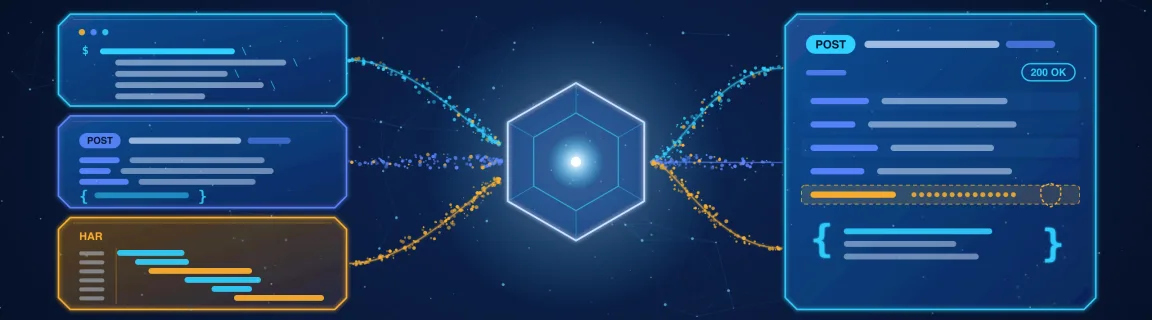
One request, three ways to read it: a cURL command, a raw message, a HAR file
When an API integration misbehaves, the evidence is almost always an HTTP exchange you can copy out of DevTools. The catch is the shape it arrives in: Chrome's Copy as cURL is a single very long line, a pasted response is a block of headers with a body underneath, and a HAR export is a JSON file with hundreds of entries. The cURL formatter turns a Copy as cURL or Copy as fetch into readable multi-line cURL, or into HTTP/1.1, a .http file, JavaScript fetch, Python requests, Go or PHP. The HTTP message parser reads a raw request, a response or a header block, and keeps duplicate headers and pretty-prints a JSON body. The HAR inspector opens a whole recorded session, lets you filter it down to the failing call, and copies that call back out as cURL. All three work on pasted text in your browser: FastMinify never sends the request, never fetches the URL you pasted, and has no runner or proxy, so a token in the paste stays in your tab. This guide covers which tool answers which question, how to debug a request that works in the browser but not in your script, the mistakes that leak credentials or mislead you, the anatomy of an HTTP message, and the same checks in a terminal and in Node. The tools sit in the HTTP tools hub.
Which tool answers which question
These three tools cover reading, translating and sharing an HTTP exchange. They do not run it.
Each tool stops where another one starts. Hand over to the neighbouring tools or to your own code.
Debugging an API call from a copied request
Paste the Copy as cURL into the cURL formatter and read it line by line: it contains everything the browser added, not only what your code needs.
Paste the response into the HTTP message parser. The start-line, the header table and the body are laid out separately.
Open the export in the HAR inspector and narrow the list before you read any detail.
Four mistakes that leak a credential or send you down the wrong path
A Copy as cURL from an authenticated session carries your Cookie and Authorization headers, and anyone who reads the ticket can replay the call as you. The Sanitize secrets switch removes Cookie, Authorization, Referer, sec-ch-*, and the -u and -b values from the copy. It is off by default in the formatter and in the parser's Copy as cURL, and on by default in the HAR inspector. It works on headers only: a token in the query string (?access_token=), in the request body, in a custom header such as X-Api-Key or in a response body stays exactly where it was. Read the output before you paste it, and rotate anything that already left your machine. The secrets scanner helps to spot a key you did not notice.
The HAR inspector's Load time is the duration of the longest single entry, not the time the page took to load, and Total size adds up the body sizes recorded in each entry. They answer "which call was slowest" and "how much data moved", not what Lighthouse measures. Requests run in parallel, so the sum of the times is not the page time either. Cached responses and compressed bodies make the size figures differ from what you see in the Network panel footer.
The formatter understands the DevTools subset of cURL, and ignores the rest without complaint. Flags such as -L, -s, -k, --insecure, -v and -o are dropped from the output, so a command that relied on -L to follow a redirect or -k to skip certificate checks loses that behaviour when you translate it. Some inputs are refused with a clear message: multipart uploads (-F), -T file uploads, @file bodies, REST Client {{variables}}, multi-request .http files, axios snippets, and fetch calls that use template literals or unbound variables. A pasted response is not a request, so there is nothing to turn into cURL.
Several outputs re-indent a JSON body: the multi-line cURL, the HTTP/1.1 and .http outputs, JavaScript fetch, and Python requests, which turns it into a json= literal. The one-line cURL keeps the body as you pasted it. That is harmless for most APIs, and fatal when the server checks a signature computed over the exact bytes, as webhook endpoints often do: one added space and the HMAC no longer matches. The hash and HMAC guide explains how those signatures are built.
Anatomy of an HTTP message and where each tool looks
An HTTP/1.1 message is plain text (RFC 9112), and its meaning is defined in RFC 9110. Request and response share the layout.
The tools convert between these, which is why one copied request can end up as any of them.
A short reading order saves most debugging sessions.
The three tools, step by step
The cURL formatter reformats as you paste, with no Send button. In Chrome, right-click the request in the Network tab, then Copy, then Copy as cURL (bash).
Paste the command
A Copy as cURL, a Copy as fetch, a single-request .http file or a raw HTTP/1.1 request are all detected. Line continuations are joined for you.
Pick the language and the layout
cURL, HTTP/1.1, .http, JavaScript fetch, Python requests, Go net/http or PHP curl, in multi-line or one-line layout.
Switch on Sanitize secrets before you share
It strips Cookie, Authorization, Referer, sec-ch-* and the -u and -b values from the copy. Query strings and bodies are untouched.
Copy or download the result
Each language has its own file name (formatted-curl.sh, formatted-request.http, formatted-requests.py and so on). A parse error names what was refused and why.
The HTTP message parser lays a pasted message out as a start-line, a header table and a body.
Paste the message
A request, a response, a bare header block or the output of curl -v. LF and CRLF line endings both work.
Check the detected kind
The tool labels it HTTP request, HTTP response or Headers only, then shows the number of headers. Duplicates stay as separate rows.
Read the body
A JSON body is pretty-printed by default, with a switch to see it raw. Chunked bodies are not reassembled.
Copy a request as cURL
This needs a request with an absolute URL or a Host header. With only a Host header, the scheme is guessed: http for localhost, 127.0.0.1 or port 80, https otherwise. The Sanitize copy switch is off by default.
The HAR inspector reads the file in your tab and never fetches the URLs it lists.
Export the HAR
In the Network panel, use the download icon (Export HAR). Chrome, Firefox, Edge, Charles and HTTP Toolkit exports open, up to 50 MB; above 20 MB filtering can feel slow.
Drop the file or paste the JSON
A .har or .json file, or the HAR 1.2 JSON itself. The sample button loads a small capture to try the filters.
Narrow the list
Type pills (XHR, JS, CSS, Img, Media, Font, Doc, Other, Errors), a method, a status class and a "URL contains" search. The type comes from the entry when Chrome records it, or from the response MIME type.
Open a call and extract it
Read the request and response headers, the payload and a body preview. Copy cURL, Copy HTTP/1.1 or Copy full URL, or download the file; with Sanitize secrets on, the download is written as sanitized.har with the Cookie, Set-Cookie, Authorization, Referer and sec-ch-* headers and the cookie arrays removed.
A few limits to know before you rely on them.
The same checks in a terminal and in Node
When you can run a command, curl shows the same data the parser lays out. Keep tokens in environment variables, not in the command you paste into a ticket.
Basic example
A HAR is JSON, so a few lines list the failing calls. Unlike the inspector's Errors counter, this filter also keeps status 0.
Basic example
Take the Copy as fetch output, move the secret to an environment variable and log what comes back. The generated snippets from the formatter are a starting point of the same kind.
Basic example
Nothing to install and nothing sent: the cURL formatter, the HTTP message parser and the HAR inspector cover reading, translating and sharing a request. The trade-offs: no replay, a subset of cURL, no timing waterfall, and a sanitizer that only knows headers. For a real test, run the call in a terminal, Postman or your own test suite; to check a spec rather than a call, use the OpenAPI validator.
Conclusion
An HTTP exchange is just text, and most of debugging it is reading it in the right shape. The cURL formatter makes a Copy as cURL readable and portable, the HTTP message parser lays out a raw request or response with its duplicate headers and JSON body, and the HAR inspector narrows a recorded session down to the call that failed. None of them sends anything: you stay in control of what leaves your browser, which matters because these pastes carry cookies and tokens. Sanitize before you share, remember that it only cleans headers, and read the counters for what they are. The HTTP tools hub gathers the neighbouring tools for URLs and cookies.
Inspect a request in your browser
Related Articles

Decode a JWT header and payload, or sign a test token, right in your browser: HS256, RS256, ES256, with no secret sent to a third-party server.

Length, entropy, symbols: generate a strong password in your browser with Web Crypto, no network transit, and know what the tool does not guarantee.

Test a JavaScript regex, inspect capture groups, and preview a $1 replace in the browser before the pattern lands in production code.