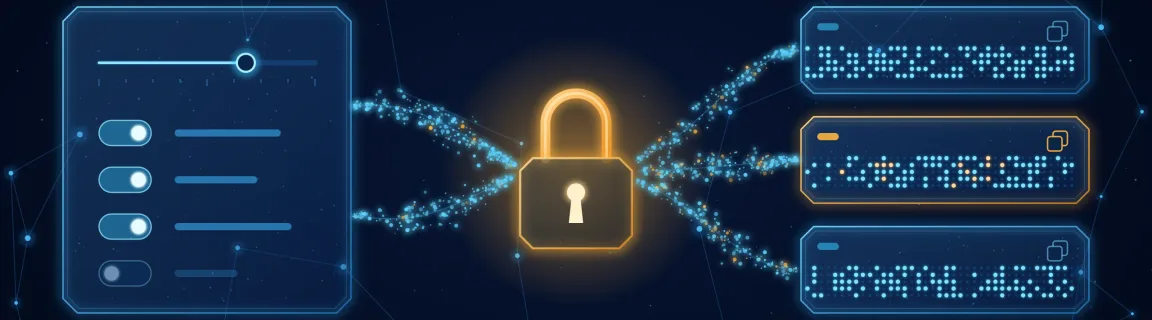
Secure Password Generator Online: 2026 Best Practices
Length, entropy, symbols: generate a strong password in your browser with Web Crypto, no network transit, and know what the tool does not guarantee.
A strong password is long, random and never reused
A weak password rarely fails for lack of symbols: it fails because a human chose it. FastMinify's online password generator draws every character at random with crypto.getRandomValues (Web Crypto) in your browser — never Math.random — and the generated values are neither sent nor stored. It controls length (8 to 128), four character sets, ambiguous-glyph exclusion and a count up to 50. It shows no strength meter, offers no passphrase mode and remembers nothing. This guide explains why length matters more than complexity, what each setting changes in bits, where the tool stops (no "at least one digit" guarantee), and how to store a password server-side afterwards with a slow hash rather than a fast one — the bcrypt tool helps you understand the parameters on fixtures. The page lives on the developer utilities hub, next to the UUID generator and the regex tester, and is reachable from the security tools hub.
Where the local generator is enough, and where to hand over
A password or a test secret to produce quickly, without the value passing through a server.
Generating is only one link: server-side storage (the bcrypt tool), leak detection (the secrets scanner) and message authentication (the hash and HMAC guide) each have their own tools.
Four mistakes that weaken a password, even a generated one
"One uppercase letter, one digit, one symbol" applied to eight characters gives a feeling of security without the substance. With the tool's default set (82 possible characters), 8 random characters are worth about 51 bits, 16 characters about 102 bits. A hand-built password like Spring2026! satisfies every rule and still contains almost no randomness: an attacker tries dictionary words, years and common substitutions first. NIST SP 800-63B (revision 4) points the same way: favor length, accept long passwords (at least 64 characters), and do not impose composition rules or periodic rotation without suspicion of compromise.
A generator is only safe if the value never leaves the device. Here the draw happens in your tab; a server-side generator, or a page whose publisher logs what it displays, would see the secret. This does not protect against a malicious browser extension, a synced clipboard or a screenshot. One detail specific to this tool: the very first paint of the page shows a list derived from a fixed seed (so server HTML and hydration match), replaced by a Web Crypto draw as soon as the script runs. Copy only once the page has loaded. After that the list stays in memory until you reload or press "Clear all": the tool keeps no history.
The tool draws each character uniformly from the active set; it does not force "at least one digit, one symbol". With the default settings (16 characters, 82 possible, 8 of them digits), roughly one password in five contains no digit, and only about 80% of draws contain all four classes. If the form demands a class, do not type it by hand at the end of the line: scan the list (up to 50 lines) and take one that contains it. Choosing among conforming draws costs less than one bit of entropy. The symbol set is fixed (26 characters, no space) and some sites reject a few of them: turn "Symbols" off and make up for it with length.
A UUID v4 carries 122 random bits, but the specification (RFC 9562) does not present it as a secret: see the UUID, ULID and Nanoid guide. A hash such as SHA-256 is fast by design, so poorly suited to storing a password — a graphics card tests billions per second; the hash and HMAC guide covers what it is for (integrity, signatures). Storing a password calls for a slow, salted hash (bcrypt, Argon2). The password generated here is the user's secret; what the server keeps is its slow hash. Mind bcrypt too: it only reads the first 72 bytes. The generator goes up to 128 characters, but beyond 72 ASCII characters the rest never enters the hash — the bcrypt tool shows a warning in that case.
Entropy: what length and character sets change in bits
For a uniform, independent draw — which is what the tool does, and not what a human-chosen password does — entropy is a direct calculation.
The tool only produces randomly drawn character strings. For a secret you have to remember, the logic is different.
The right length also depends on what the receiving system accepts and actually checks.
Generate, copy, clear: the walkthrough in the tool
The password generator has no "Generate" button: the list fills on load and regenerates on every option change.
Pick the length
Type a number from 8 to 128 or use the slider; the default is 16. A value out of bounds is brought back into the range.
Enable the sets you need
a–z, A–Z, 0–9 and Symbols are on by default. If you turn all four off, the tool shows "Enable at least one character set." and the list stays empty.
Get another list
Changing the count by one, toggling "Exclude ambiguous" or reloading the page produces a new draw. There is no regenerate button at constant settings.
Copy a line or the whole list
Each line has its own copy button; "Copy all" copies the list, one password per line. "Clear all" empties the list until the next option change.
A few limits to know before relying on it for a specific use.
The same draw in your own code
The tool's default set (82 characters, ambiguous excluded) in a few lines. randomInt avoids modulo bias.
Basic example
To draw an index without bias, reject values above the largest multiple of the set size — which is what the tool does.
Basic example
The generated password stays the user's secret; the server only keeps a bcrypt hash. The tool's cost ranges from 4 to 14 (10 by default).
Basic example
No installation, nothing sent, four classes, 8 to 128 characters and up to 50 lines at a time. Trade-offs: no strength meter, no passphrase mode, no "at least one of each" guarantee and fixed symbols. Keep the page for a password to file straight into a password manager or for fixtures. For server-side storage, go through bcrypt or Argon2 in your own code; for a value to sign, through an HMAC with the hash generator.
Conclusion
A solid password is long, drawn at random by a sound generator and used once. The online password generator produces that draw in your browser with Web Crypto: 16 characters from all four classes are worth about 102 bits, far more than a 10-character "complex" password written by hand. Do not ask it for what it does not promise: no strength meter, no passphrase, no "at least one digit" guarantee. File the result in a password manager, hash it with bcrypt or Argon2 on the server, and do not mix up a UUID, a fast hash and a password. For what comes next, the developer utilities hub gathers the other generators, and the security tools hub the bcrypt, JWT and secret-scanning tools.
Related Articles
Test a JavaScript regex, inspect capture groups, and preview a $1 replace in the browser before the pattern lands in production code.
Random UUID v4, sortable UUID v7 and ULID, or compact customizable Nanoid: a comparison and online generators for primary keys, public IDs and tokens.
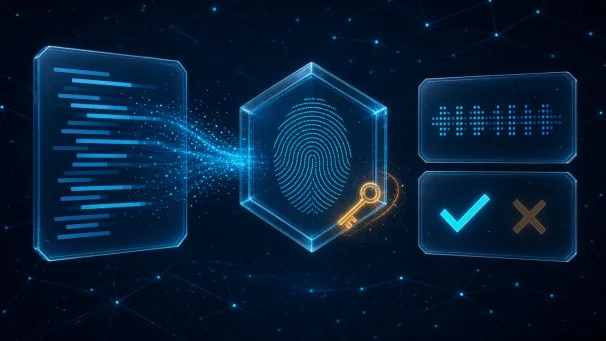
Compute an MD5 or SHA digest, or sign a message with HMAC, in the browser. Hex, Base64 or Base64URL — text checksums and webhook signatures, 100% local.