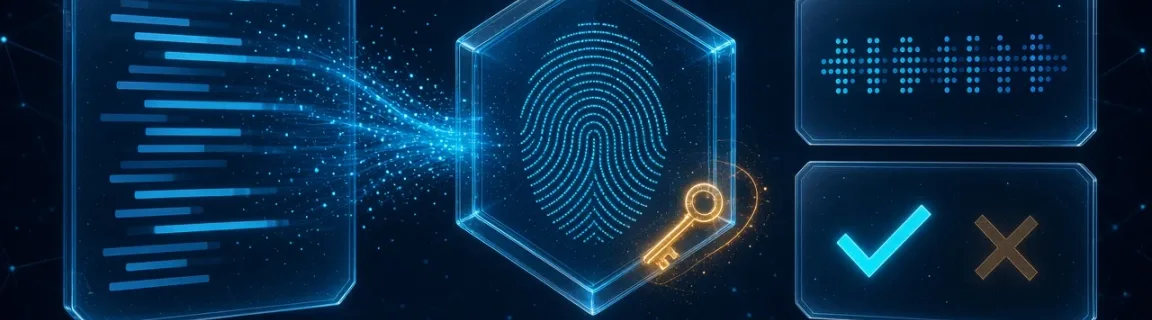
Hash and HMAC Generator: MD5, SHA-256, SHA-512 Online
Compute an MD5 or SHA digest, or sign a message with HMAC, in the browser. Hex, Base64 or Base64URL — text checksums and webhook signatures, 100% local.
A digest proves the bytes; HMAC proves who sent them
A hash and an HMAC answer different questions. SHA-256 of a string tells you whether that string still matches a published fingerprint. HMAC-SHA-256 of the same string, plus a shared secret, tells you whether someone who knows the secret produced it. Neither one is encryption, and neither one is a password store. FastMinify splits the jobs: the online hash generator computes MD5, SHA-1, SHA-256, SHA-384 and SHA-512 from UTF-8 text, and the HMAC generator signs a message with HMAC-SHA-256, SHA-384 or SHA-512. Both run in the tab via Web Crypto (MD5 is a local implementation, because Web Crypto does not offer it). Nothing is uploaded. Both live on the encoding tools hub, next to Base64 and JWT helpers — encoding is how you spell bytes, hashing is how you fingerprint them.
When the browser is the right place to hash
A string you can paste, a secret you are willing to type into your own browser, a digest you already hold.
If the bytes are a binary artifact, or the secret must not appear in a browser on a shared machine, stay in the shell or in CI.
Hash mistakes that look like a match and are not
A plain digest is fast, unsalted, and identical for the same input. That is what you want for a checksum. It is what you do not want for a password: an attacker precomputes the digest, and two users with the same password share a row. FastMinify's hash and HMAC pages say so in the docs. Password storage belongs on bcrypt-hash (or Argon2 on your server). HMAC is also the wrong tool: it authenticates a message with a secret you must keep, it does not stretch a password.
Anyone can recompute SHA-256 of a public body. The digest proves the body did not change; it does not prove who produced it. If a webhook, a release note, or an API call must be authentic, you need a secret: HMAC, or a JWT signature checked with jwt-verify. The reverse confusion is just as common after the Base64 encode and decode guide: Base64 is reversible wrapping. SHA-256 of abc is ba7816bf8f01cfea414140de5dae2223b00361a396177a9cb410ff61f20015ad. You cannot turn that hex back into abc.
The hash generator hashes UTF-8 text, not a raw file. Upload accepts text extensions only — txt, md, json, csv, html, xml, yml, yaml — up to the 32 MiB client cap, and the file is decoded as text before hashing. A vendor SHA-256 of a .tar.gz, an image, or a PDF will not match, and those types are not in the picker. Even a text file can disagree with sha256sum when the newline convention changes. SHA-256 of abc is the vector above. SHA-256 of abc plus a single LF is edeaaff3f1774ad2888673770c6d64097e391bc362d7d6fb34982ddf0efd18cb. Same letters, different bytes.
GitHub's X-Hub-Signature-256 is sha256= plus HMAC-SHA-256 of the raw body, secret as UTF-8. Stripe signs timestamp.payload, not the JSON alone. The HMAC page does not build those strings and does not strip a sha256= prefix. Paste the exact message, the exact key bytes, and only the digest. Expected-digest comparison ignores hex case and spaces, and trailing = on Base64URL. It does not ignore a prefix.
Which algorithm, which spelling, which tool
They all emit opaque strings. They do not substitute for each other.
The digest bytes do not change. The spelling does. Hex is what sha256sum and most webhook docs print. Padded Base64 is what some APIs return. Unpadded Base64URL is the compact form (no +, /, or trailing =). Uppercase applies only to hex.
A truncated digest is a failed copy, not a different algorithm. Count characters after you strip spaces.
Compute a digest, then sign a message
Open the hash generator. Paste the text or upload a text file. Choose hex, Base64, or Base64URL. Turn on uppercase only if the reference digest is printed in capitals — it does nothing for Base64. All five algorithms refresh together. Paste the expected digest to highlight matches. Load sample if you only want to see the pipeline. The box must contain non-whitespace text; an empty field clears the cards instead of showing the well-known empty-string SHA-256.
Step 1 — Paste the exact bytes as text
Agree on newlines. A trailing LF is part of the input. Do not pretty-print JSON if the other side hashed the compact form.
Step 2 — Match the output spelling
Hex for checksums and CLI tools. Padded Base64 when the API shows + / and =. Unpadded Base64URL when the digest sits in a token or a URL.
Step 3 — Paste the expected digest
Comparison ignores hex case and spaces, and Base64URL padding. A match highlights the algorithm. No highlight means different bytes, a different spelling, or a prefix you still need to strip.
Open the HMAC generator. There is no file upload: paste the message and the secret. Pick SHA-256 unless the vendor says SHA-384 or SHA-512. Set Key encoding to UTF-8 for a passphrase-style secret, hex for a hex key (optional 0x prefix, even length), or Base64 when the key was stored that way. UTF-8 on a hex secret signs the characters 0-9a-f, not the key bytes — the digest will not match and the error is not obvious. Expected digest uses the same comparison rules as the hash page.
The same bytes in Node and openssl
createHash and createHmac hash the string you pass. They do not add a newline. That matches the browser tools.
Basic example
echo appends a newline, so the digest is of different bytes. printf does not. For a file on disk, pass -binary only when you want raw digest bytes; hex is the default text form.
Basic example
No install, no upload, five hash algorithms or three HMAC algorithms, hex / Base64 / Base64URL, and an expected-digest highlight. Trade-off: text and UTF-8 only, 32 MiB text-file cap on the hash page, no binary checksum, no MD5-HMAC, no password stretching, no JWT assembly. Use the pages to inspect a snippet or reproduce a webhook digest. Keep openssl on the release artifact and bcrypt on the password.
Conclusion
Hash the text when you need to know it did not change. HMAC it when a shared secret must prove who produced it. FastMinify does both in the browser: MD5 through SHA-512 for UTF-8 text (and text files up to 32 MiB), HMAC-SHA-256/384/512 with a UTF-8, hex, or Base64 key, spelled as hex, Base64, or unpadded Base64URL. It will not checksum a tarball, store a password, or verify a JWT. Those jobs stay on openssl, bcrypt, and jwt-verify. Start from the encoding tools hub when the string is still just text.
Related Articles

Skip SSH and nginx for a side-project Next.js app. Compare Railway, Render, Vercel and a VPS, then ship from Git after minifying assets in the browser.
Encode or decode text, a file, or an image as Base64 in the browser — data URIs, email attachments, JWT segments. 100% local, not encryption.

Compile SCSS or LESS snippets (variables, nesting, mixins) to CSS in the browser without npm run build — for reviews, snippets, or a machine without Node.