JWT Encode/Decode: Build and Inspect a Token Online

JWT Encode/Decode: Build and Inspect a Token Online

Decode a JWT header and payload, or sign a test token, right in your browser: HS256, RS256, ES256, with no secret sent to a third-party server.

04.10.2026
16 min read
Share this article:
JWT
Authentication
Tokens
Security
Tutorial

A JWT is readable by anyone: decode to inspect, sign to test, verify to trust

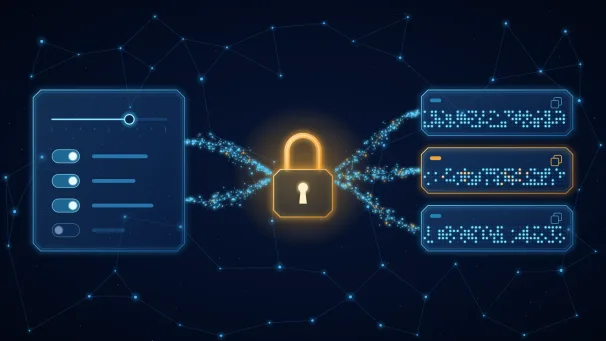
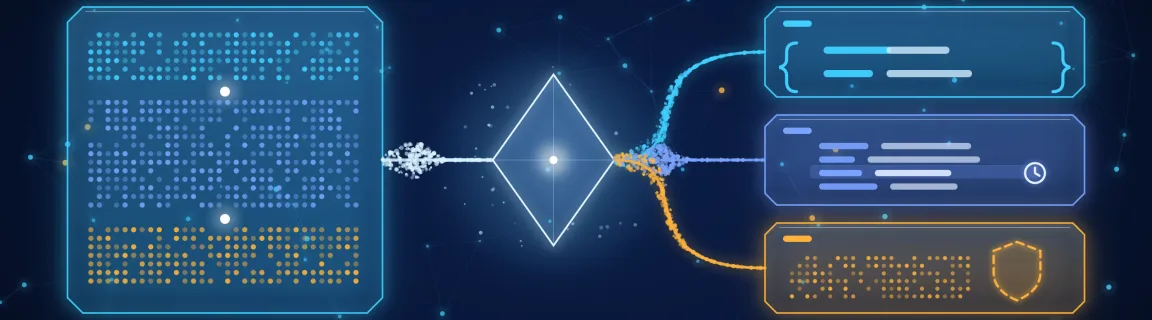
A JSON Web Token looks opaque, but its first two segments are plain JSON encoded in Base64URL: anyone who holds the token can read it. That is exactly what you want when an API answers 401 and you need to know what the token claims. FastMinify's online JWT decoder decodes the header and payload as soon as you paste the token, and the JWT encoder signs a token from editable header and payload JSON, live, with no submit button. Both run in your browser: the token, the claims and the secret are not sent anywhere. Decoding is not verifying, though. Anyone can write "role": "admin" into a payload, so what a decoded token says proves nothing about who issued it. Checking a signature against an issuer's public keys, the audience, the issuer and the expiry is the job of jwt-verify, which takes a pasted JWKS, and inspect-jwks shows what such a key set contains. This guide covers how a JWT is built, how to debug a 401 or a 403 with a decoded token, the mistakes that turn a test helper into a security hole, and the same operations in Node with the jose library. The tools sit in the security tools hub.

Decode: paste the compact token and the header and payload appear as formatted JSON. A JWT must have exactly three dot-separated parts; the signature may only be empty when the header says alg=none
Encode: live signing, no submit button. Algorithms: none, HS256/384/512, RS256/384/512, PS256/384/512, ES256/384/512 and EdDSA (Ed25519 only)
On encode, iat is always rewritten to the current time. The Expiration menu (None, 15 minutes, 1 hour, 24 hours) overwrites exp relative to iat; None leaves your payload as it is
HMAC tokens take a secret (optionally read as Base64URL bytes); RSA, ECDSA and EdDSA tokens take a PEM (PKCS#8) or JWK private key
Optional signature check next to the decoder, with a secret or a public key: it checks the signature only, never exp, aud or iss
Everything stays in the tab: no token, claim or key is sent to a server

Encode, decode or verify: which tool answers which question

Fitting uses

The decoder and the encoder cover everything that does not need to establish trust in an issuer.

Reading the claims of a token copied from the Network tab (exp, aud, scope) before blaming an API route
Building a fixture token for an integration test: HS256, a throwaway secret, a 15-minute or 1-hour expiry
Producing a token with a specific header (alg, kid) to see how your API rejects it
Checking that an HS256 token was signed with the secret you think it was: paste the secret next to the decoder
Teaching or learning the compact format: edit one character of the payload and watch the signature segment change
What belongs elsewhere

Trusting a token takes keys, claims and a policy, not just a readable payload. Hand over to jwt-verify, inspect-jwks or your own code.

Verifying a token against an identity provider's public keys: paste the JWKS into <a href="/en/jwt-verify" class="text-primary hover:underline">jwt-verify</a>, which checks the signature, the expiry, the audience and the issuer, with a clock tolerance of 0, 60 or 300 seconds. It never fetches a JWKS from the network
Seeing which keys a JWKS holds (kid, kty, alg) before debugging a "key not found": <a href="/en/inspect-jwks" class="text-primary hover:underline">inspect-jwks</a>
Issuing and validating tokens in production: a maintained library on the server, with the algorithm pinned. Never a web page
Revoking a session: a signed JWT stays valid until exp on its own, which is a design question for your auth flow, outside what any decoder can tell you
Storing user passwords: a slow, salted hash, not a JWT. See the <a href="/en/blog/secure-password-generator-online-guide" class="text-primary hover:underline">password generator guide</a> and the <a href="/en/bcrypt-hash" class="text-primary hover:underline">bcrypt tool</a>

Debugging a 401 or a 403 with a decoded token

401: expired, not yet valid or mangled

Paste the token into the decoder and read the time claims before touching the API. exp, nbf and iat are NumericDate values: seconds since 1970-01-01 UTC (RFC 7519).

A 13-digit exp is milliseconds, not seconds: the producer is wrong, and many libraries will read it as a date tens of thousands of years away
Convert the value in a console: <code>new Date(exp * 1000).toISOString()</code>. The decoder shows the raw number and does not convert it for you
Subtract iat from exp: the result is the token lifetime in seconds (3600 for one hour). A lifetime of 0 or a negative number points at a bad issuer config
nbf in the future, or iat ahead of the API's clock, means clock skew between issuer and API: servers usually accept a small tolerance, and jwt-verify lets you test 0, 60 and 300 seconds
Paste only the compact token. A leading <code>Bearer </code> prefix, a line break or a character cut by a log makes the decoder report an invalid token or a wrong number of parts
401 on a token that looks fine: algorithm, key and signature

When the claims are right and the API still refuses, the problem is in the header or the signature.

alg in the header must be the one the API expects. An API pinned to RS256 rejects an HS256 token, and the other way round
kid names a key in the issuer's key set: open the JWKS in <a href="/en/inspect-jwks" class="text-primary hover:underline">inspect-jwks</a> and check it exists, and that its alg and kty match
Paste the HMAC secret next to the decoder: "Signature invalid" with the right-looking secret usually means the Base64URL option is wrong (see below) or the token was altered in transit
A token with five dot-separated parts is an encrypted JWE, not a signed JWT. The decoder rejects it, as it expects exactly three parts
A token copied from a cookie or a header can be truncated by a size limit: a missing last segment is the typical symptom
403: authenticated, but not allowed

A 403 means the token was accepted and the authorization step said no. The payload usually tells why.

aud must contain the identifier the API expects, and iss must match the issuer it trusts. A token minted for another API or another tenant fails here
Permissions live under different claim names depending on the provider: scope, scp, roles or permissions. Check the one your API actually reads
A scope string is space-separated (<code>"orders:read orders:write"</code>), while roles are often an array: a code that splits one as the other quietly denies everything
sub identifies the user, not the application: a service-to-service token may carry a client ID there
A freshly changed permission is not in a token issued before the change: decode a new token before concluding the rule is wrong

Four mistakes that turn a test helper into a security hole

Treating a decoded token as a trusted token

A decoder shows what a token claims, not who wrote it. The payload is not protected: whoever has the token, or can build one, can put any claim in it. The encoder can even produce an unsecured token with alg=none, whose signature segment is empty: the tools label it "Unsecured JWT (alg=none)", and no verifier should ever accept it. RFC 8725 (JWT best current practices) asks servers to accept only the algorithms they expect and never to let the token choose. Algorithm confusion is the classic failure: a token that declares HS256 and is signed with the public key of an RS256 service passes a verifier that reads alg from the header and uses the public key as the HMAC secret.

Reading <code>"role": "admin"</code> in a decoded payload as proof the user is an admin
Accepting whatever alg the token header declares, including none
Deciding authorization in a front end from claims it never verified
Using a decoder's "Signature verified" as a substitute for audience, issuer and expiry checks
Believing the payload is secret

Base64URL is an encoding, not encryption: the Base64 guide explains the difference. A signed JWT (JWS) only guarantees integrity, so everything in the payload is readable. Encrypted tokens exist (JWE, RFC 7516, five parts instead of three), but the decoder here handles signed tokens only. A token is also a credential: whoever holds it can use it until exp. This tool keeps it in your tab, but a screen share, a shared screenshot or a ticket pasted with the token still leaks it.

Putting a password, a card number or a personal address in a claim
Pasting a live production token into a ticket, a chat or a third-party website
Logging the full Authorization header
Assuming that an unreadable-looking token is a protected one
Weak or misread HMAC secrets

HS256 signs with a shared secret, and RFC 7518 asks for a key at least as long as the hash output: 256 bits for HS256, 384 for HS384, 512 for HS512. When your secret is shorter, the encoder shows how many bits it has against the recommended minimum. That figure is the key length, not its randomness: a 32-character English phrase is 256 bits long and still guessable. An attacker who holds one token can test candidate secrets offline against its signature without ever touching your API. Draw the secret randomly, for example with the password generator (see the password guide): about 41 characters from its default 82-character set carry 256 bits of entropy. The Base64URL option changes the bytes used: ticked, the secret string is decoded as Base64URL and its bytes are the key; unticked, the characters themselves are the key. The same text with the wrong setting yields a different signature.

Using <code>secret</code>, <code>changeme</code> or a project name as an HS256 key
Reading "256 bits long" as "256 bits of entropy"
Signing with the Base64URL option on and verifying with it off, or the opposite
Sharing one HMAC secret between services that should not all be able to mint tokens
Letting a test token leave the test

The encoder is built for fixtures and debugging. It rewrites iat to now, can drop the signature entirely, and the examples it loads use throwaway secrets. A token signed here with a demo secret must never be accepted by a real environment, and a real signing secret must never be pasted in a file you then commit. If one already was, rotate it, and scan your diff before committing with the secrets scanner.

Committing a long-lived test token whose secret also works in staging
Keeping an alg=none shortcut "for local dev" behind a flag that ships to production
Reusing the same signing secret across development, staging and production
Forgetting that exp set to 24 hours in a fixture is still a credential for 24 hours

Anatomy of a JWT: three Base64URL segments and what each one says

header.payload.signature

The compact form is three Base64URL segments joined by dots. It is what travels in an Authorization: Bearer header.

Header: a JSON object such as <code>{"alg":"HS256","typ":"JWT"}</code>, which encodes to <code>eyJhbGciOiJIUzI1NiIsInR5cCI6IkpXVCJ9</code>. It names the signing algorithm and, for asymmetric keys, usually a kid.
Payload: a JSON object of claims, such as who the token is about, who issued it, who may use it and until when.
Signature: computed over <code>base64url(header) + "." + base64url(payload)</code> with the algorithm from the header. For HS256 that is HMAC-SHA-256 with the shared secret.
Base64URL (RFC 7515) uses <code>-</code> and <code>_</code> instead of <code>+</code> and <code>/</code> and drops the <code>=</code> padding, so a JWT can sit in a URL or a header unchanged.
Change one character of the header or the payload and the signature no longer matches: that is the only protection the format offers.
The claims you read first

Seven registered claims (RFC 7519) cover most debugging sessions. All are optional in the specification, so an API may require more than the standard does.

iss: the issuer, usually a URL. sub: the subject, usually a user ID. aud: the audience, a string or an array.
exp: the expiry, nbf: not before, iat: issued at. All three are NumericDate: seconds since 1970-01-01 UTC.
jti: a unique token identifier, useful when a server keeps a deny list.
Example: iat 1790000000 is 2026-09-21T14:13:20Z, and exp 1790003600 is one hour later, 15:13:20Z.
Custom claims such as scope, roles or tenant are provider-specific. The specification does not define them.
Algorithm families: what signs and what verifies

The alg value decides who can mint a token and who can only check one.

HS256, HS384, HS512: one shared secret signs and verifies, so every verifier can also forge tokens.
RS256/384/512 and PS256/384/512 (RSA), ES256/384/512 (ECDSA), EdDSA (Ed25519): a private key signs, a public key verifies. The public keys are what an identity provider publishes as a JWKS.
The encoder supports all of them plus none, which produces a token ending in a dot with no signature at all.
EdDSA here means Ed25519 only, which is the tool's documented scope.
Pick an asymmetric algorithm when several services must verify tokens that only one service may issue.

Decode and encode in the tools: the walkthrough

Inspect a token with jwt-decode

The JWT decoder has no button: decoding runs as you paste or edit, after a short pause. The editor starts empty; "Load sample" or picking an algorithm loads a demo token.

1

Paste the compact token

Only the three segments, without the Bearer prefix. Leading and trailing whitespace is ignored.

2

Read the header and the payload

Both appear as formatted JSON in their own panel, next to the raw signature. Check alg, kid, exp, aud and iss first.

3

Optionally check the signature

Paste the HMAC secret, or a public key as PEM or JWK for the asymmetric algorithms. The result is "Signature verified" or "Signature invalid", and it covers the signature only.

4

Read the error if there is one

The decoder reports a wrong number of parts, an empty segment, a missing signature (allowed only for alg=none) or a segment that is not Base64URL JSON.

Build a test token with jwt-encode

The JWT encoder signs as you type. The token appears as soon as the header, the payload and the key are valid.

1

Choose the algorithm

Use the toolbar or edit alg in the header JSON. A missing or unsupported alg is reported as an invalid header.

2

Write the claims

A JSON object. iat is overwritten with the current time on every encode, so you cannot pin an old iat.

3

Set an expiry if you need one

The Expiration menu (15 minutes, 1 hour, 24 hours) overwrites any exp in the JSON. None keeps your payload as it is.

4

Provide the key

A secret for HMAC, or a PEM (PKCS#8) or JWK private key for RSA, ECDSA and EdDSA. A secret under the recommended length shows a warning with its size in bits.

5

Copy the token and check it

Paste it into the decoder to see what you produced, then into jwt-verify to test a real verification policy.

What the tools do not do

A few limits to know before relying on them for a specific use.

No exp, nbf, aud or iss validation in the decoder or the encoder: that is jwt-verify
No conversion of timestamps to dates: the decoder shows the raw seconds
No remote JWKS fetch anywhere: keys are pasted
No encrypted (JWE) tokens: only signed ones with three parts
EdDSA is Ed25519 only
A token signed here is a fixture, not production authentication

The same operations in your own code

Node: decode without verifying

Decoding needs no library: split on the dots and read each segment as Base64URL. This is what the decoder does, and it has the same limit: nothing is checked.

Basic example

// Decode WITHOUT verifying: read the claims, trust nothing. function decodeJwt(token) { const [h, p, s] = token.split('.') if (!h || !p || !s) throw new Error('Expected header.payload.signature') const json = (part) => JSON.parse(Buffer.from(part, 'base64url').toString('utf8')) return { header: json(h), payload: json(p) } } const token = 'eyJhbGciOiJIUzI1NiIsInR5cCI6IkpXVCJ9.eyJzdWIiOiJ1c2VyXzQyIiwic2NvcGUiOiJvcmRlcnM6cmVhZCIsImlzcyI6Imh0dHBzOi8vYXV0aC5leGFtcGxlLmNvbSIsImF1ZCI6Im9yZGVycy1hcGkiLCJpYXQiOjE3OTAwMDAwMDAsImV4cCI6MTc5MDAwMzYwMH0.S7icJbfp1NQ88Pkyf9HYZ6tl-jkLgOCOzxFDSCKFLvE' const { header, payload } = decodeJwt(token) console.log(header.alg) // HS256 console.log(new Date(payload.exp * 1000).toISOString()) // 2026-09-21T15:13:20.000Z // Paste this token into jwt-decode; with the secret "demo-secret-for-docs-only-0123456789abcdef" it shows "Signature verified"
Sign with jose

The jose library signs a compact JWT and sets the registered claims for you. Unlike the encoder here, setIssuedAt() uses the real clock, as it should in production.

Basic example

import { SignJWT } from 'jose' // HS256: key of at least 32 bytes (256 bits), read from the environment const secret = new TextEncoder().encode(process.env.JWT_SECRET) const token = await new SignJWT({ scope: 'orders:read' }) .setProtectedHeader({ alg: 'HS256', typ: 'JWT' }) .setSubject('user_42') .setIssuer('https://auth.example.com') .setAudience('orders-api') .setIssuedAt() .setExpirationTime('1h') .sign(secret)
Verify with the algorithm pinned

Verification is where trust is established: pin the algorithm, the issuer and the audience, and allow a small clock tolerance.

Basic example

import { jwtVerify } from 'jose' try { const { payload } = await jwtVerify(token, secret, { algorithms: ['HS256'], // pin the accepted algorithm: never take it from the token header issuer: 'https://auth.example.com', audience: 'orders-api', clockTolerance: 60, // seconds of tolerance for clock skew between issuer and API }) console.log(payload.sub) } catch (err) { // ERR_JWT_EXPIRED, ERR_JWS_SIGNATURE_VERIFICATION_FAILED, ERR_JWT_CLAIM_VALIDATION_FAILED… console.error(err.code) }
FastMinify jwt-decode and jwt-encode

Nothing to install and nothing sent: the decoder and the encoder cover reading claims, building fixtures and checking a signature you hold the key for. The trade-offs: no claim validation, no timestamp conversion, no JWE, EdDSA limited to Ed25519. For a real trust decision, use a verification library on the server, or paste a JWKS into jwt-verify to test your policy first.

Conclusion

A JWT is a signed envelope, not a sealed one: its payload is readable by anyone, and only the signature tells you it was not changed. The JWT decoder makes the claims visible in seconds, which is most of what a 401 or a 403 needs, and the JWT encoder builds a token to reproduce a case. Neither of them establishes trust. That takes the issuer's keys, a pinned algorithm and checks on aud, iss and exp, which is what jwt-verify and your own server code do. Keep test secrets out of production, draw HMAC secrets randomly, and refuse alg=none. The security tools hub gathers the neighbouring tools for keys, certificates and secrets.

Inspect or build a token in your browser

Decode to debug, verify to trust: a readable payload proves nothing
Read exp, nbf and iat as seconds since 1970 and convert them yourself
Pin the algorithm on the server and refuse alg=none
Draw HMAC secrets randomly, at least as long as the hash output
Never paste a live production token where others can see it, and treat every token as a credential
Share this article
Share this article: