When TOON Beats JSON for LLM Prompts (and When It Doesn't)
Honest guide: uniform tabular data, convert → count → price → context workflow; not a JSON/YAML replacement manifesto.
TOON is for prompts — not for replacing JSON
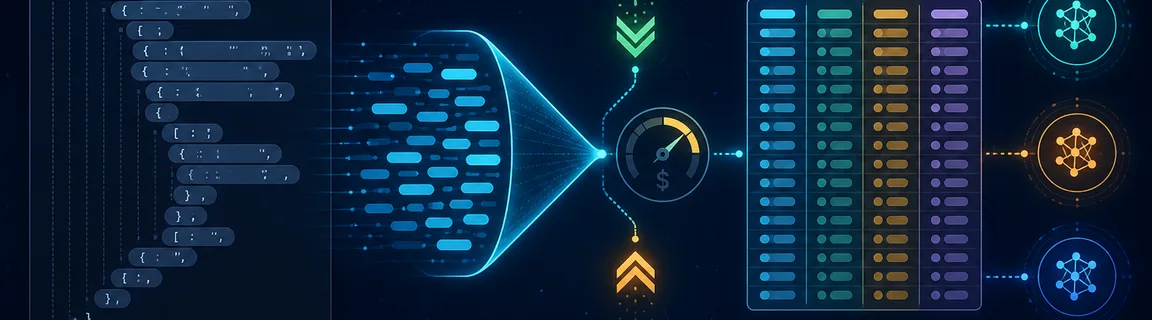
TOON (Token-Oriented Object Notation) compresses uniform tabular JSON into a denser text shape for LLM prompt input. It is not a storage or API interchange format — keep JSON and YAML for that. When your RAG chunk, analytics export, or agent tool rows are repetitive arrays of objects, converting to TOON can reduce input tokens before you call OpenAI, Anthropic, or Google. When the payload is tiny or deeply nested, TOON may add tokens — and honest tooling should show that regression. On FastMinify, the JSON to TOON converter encodes locally with @toon-format/toon v4.1.1 and compares JSON vs TOON tokens and estimated USD input cost for your pasted payload. Chain it with the LLM token counter, pricing calculator, and context window calculator on the AI & LLM tools hub. Official spec: toonformat.dev.
Limits, privacy and honest claims
Marketing averages like “up to 60% savings” depend on data shape. FastMinify shows the delta for your paste, including negative savings.
Use TOON to JSON with strict validation when checking lossless tabular round-trips. Lenient mode is for debugging hand-edited TOON only (duplicate keys last-write-wins).
Your JSON and TOON never leave the browser. Token counting may async-load js-tiktoken locally — same pattern as the token counter. No calls to OpenAI, Anthropic, or Google with your payload.
When TOON wins — and when compact JSON wins
TOON shines when you have an array of objects with the same keys — product catalogs, log batches, CRM rows, agent tool results. The format declares column headers once, then streams rows with minimal punctuation.
A tiny config blob or deeply nested JSON adds TOON structure overhead without enough repeated rows to amortize it. FastMinify surfaces a regression card when TOON tokens exceed JSON — no greenwashing.
YAML is for human-edited config files. JSON is for APIs. TOON targets prompt bytes sent to an LLM tokenizer — a different optimization axis. Do not rewrite your API stack around TOON.
Workflow: convert → count → price → fit context
Paste JSON into the JSON to TOON converter. Live encode on 200 ms debounce — no Run button. Pick delimiter (comma, tab, pipe) and indent. The comparison panel runs countTokensAsync on both strings for the selected model.
The converter counts tokens on the pasted JSON and TOON strings. For API messages arrays or encoding overrides, use the dedicated LLM token counter on the same text after conversion.
Transfer counts into the LLM pricing calculator for batch/caching levers. Paste the TOON prompt into the context window calculator to verify RAG + history still fit.
You paste a 200-row tool result array into a system prompt.
Encode and compare
Open json-to-toon, load the tabular sample or paste your export. Note token delta % and USD saved per call for gpt-4o.
Try tab delimiter
Switch delimiter to tab on large uniform tables — often fewer tokens than comma-readable output.
Verify decode and window
Copy TOON into toon-to-json to confirm strict decode. Paste final TOON into the context window calculator with your system prompt reserve.
Conclusion
Use TOON when uniform tabular JSON bloats your prompt — measure first, do not assume. FastMinify's json-to-toon converter shows honest token and USD deltas, including regressions, then chains into token count, pricing, and context-window tools on the AI hub. Keep JSON and YAML for everything outside the prompt boundary.
Convert JSON to TOON and compare tokens now
Related Articles

Compute network, mask, host range and broadcast of a CIDR, summarize ranges into minimal blocks and check an IP, all in your browser. Nothing is uploaded.

Format a Copy as cURL, parse a raw HTTP request or response and read a HAR export in your browser: nothing is sent, nothing is replayed.

Decode a JWT header and payload, or sign a test token, right in your browser: HS256, RS256, ES256, with no secret sent to a third-party server.